
Guides
GhostLock vs Other Anti-Theft Apps: An Honest Comparison
Motion alarms, tracking suites, and built-in find-my-device, compared on what actually stops theft.
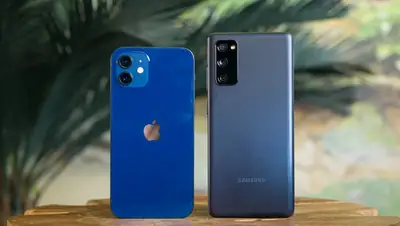
Two philosophies of anti-theft
Anti-theft apps split into two camps: deterrents that scream during the theft, and trackers that help after it. GhostLock, free to install, is firmly a deterrent, and that focus is its strength. Here is how it stacks against the alternatives.
The comparison
Vs motion-alarm apps: single-purpose alarm apps cover motion and charger alerts well, but the app adds SIM detection, geo-fencing, intruder selfies, and shutdown blocking in the same 2.4 MB. Broader coverage, same simplicity.
Vs built-in find-my-device: your phone already has remote locate, lock, and wipe, and you should keep it on. But it cannot scream when someone lifts the phone off a cafe table. Deterrent plus tracker beats either alone.
Vs full security suites: suites offer remote control, deep device management, and subscriptions. They are powerful and complex; the app is the opposite bet, eight alarms, no account, armed in two minutes.
Our recommendation
Run both philosophies: this guard for the moment of theft, your built-in tracker for the aftermath. Read the safety breakdown before installing anything with device-admin rights, and check battery numbers if you plan to run multiple guards at once.
Quick answers
Is GhostLock better than find-my-device?
Different job. Find-my-device locates a lost phone remotely; It deters the theft as it happens. Use both.
Do I need to pay for good anti-theft?
No. The app is free and covers the core theft scenarios. Paid suites add remote-control depth most people never use.
Can I run two anti-theft apps together?
You can, but watch battery drain and conflicting device-admin policies. One well-configured guard beats two fighting ones.